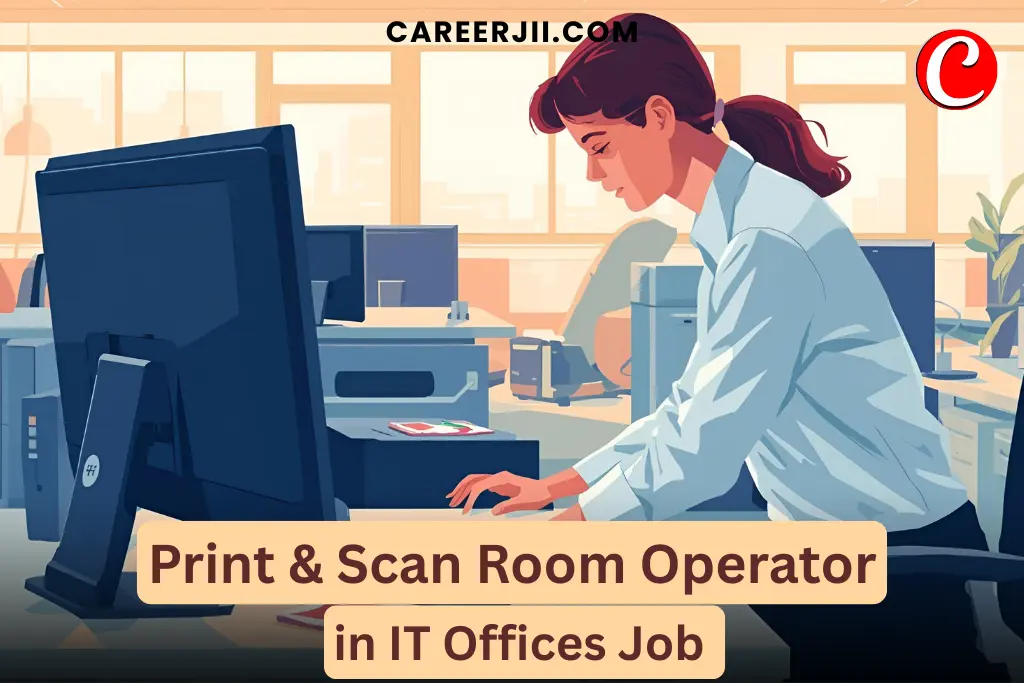
Working as a Print & Scan Room Operator in IT offices is a rewarding job for people who enjoy technical work, organizing documents, and supporting daily office operations.
This blog post is written in a simple, easy-to-understand format with SEO-optimized structure, real-life insights, required qualifications, and step-by-step details to help you understand this career path clearly.
What Is a Print & Scan Room Operator?
A Print & Scan Room Operator is a support professional responsible for managing office printers, scanners, photocopiers, and document workflows in IT offices or corporate environments.
Their main goal is to ensure that employees receive timely and accurate print, scan, and copy services without technical issues.
Why This Job Matters in Modern IT Offices
High dependency on printed documents
Even in digital offices, printed reports, agreements, compliance documents, and onboarding kits are still needed.
Ensures smooth office operations
Print & Scan Operators prevent delays in tasks caused by hardware issues, paper jams, or technical errors.
Supports teams & departments
From HR to Finance to Project Managers—everyone relies on document support.
Key Responsibilities of a Print & Scan Room Operator
Here are the main duties explained in simple points:
- ✔️ Operating printers, scanners, photocopiers & MFDs (Multi-Functional Devices)
- ✔️ Managing high-volume print jobs for departments
- ✔️ Maintaining paper stock, cartridges, and toner levels
- ✔️ Troubleshooting printer & scanner errors
- ✔️ Ensuring document confidentiality & security
- ✔️ Managing digital file transfers and scanning workflows
- ✔️ Coordinating with IT support for hardware maintenance
- ✔️ Preparing reports & logs on machine usage
- ✔️ Assisting employees with print or scan-related problems
Also Read Delivery Return Scanner Job
Required Qualifications & Eligibility Criteria
Educational Qualifications
Most companies require:
- Minimum 10th / 12th Pass
- Diploma in Computer Applications (preferred)
- ITI in Electrical / Electronics / Computer Operator & Programming Assistant (COPA) (advantageous)
Technical Skills Needed
- Ability to operate printers, scanners & photocopiers
- Basic computer knowledge (Windows, PDF tools, email, file handling)
- Understanding of network printers
- Capability to troubleshoot common device errors
H3: Soft Skills Needed
- Good communication
- Patience & problem-solving skills
- Attention to detail
- Time management
- Ability to handle confidential documents responsibly
Also Read Facility Ticketing Helpdesk Executive in Apartments
How to Become a Print & Scan Room Operator
Here is a simple roadmap:
Step 1: Complete Basic Education
Finish 10th or 12th grade.
Step 2: Take a Short Skill Course (Optional but Helpful)
You may join:
- DCA (Diploma in Computer Applications)
- ITI – COPA
- Printer Technician Course (private institutes)
Step 3: Gain Practical Experience
Start with internships or entry-level jobs like:
- Office Assistant
- Document Handler
- Print Shop Operator
Step 4: Apply in IT Offices / Corporate Companies
You can search on:
- Naukri
- Indeed
- Company Career Portals
Documents Required for Job Registration or Application
Here are the documents you usually need when applying for this role:
- Aadhaar Card / Valid ID
- 10th or 12th Marksheet
- Diploma or Skill Certificates
- Resume / CV
- Passport-size photographs
- Experience certificate (if applicable)
Official Websites for Skill Training & Certification
You can get recognized training & certification from government-approved portals:
- Skill India Portal (National Skill Development Corporation – NSDC)
- ITI Admission Portals of your State
- National Career Service (NCS) – For job applications
(Note: Training availability differs by state. Always use official government portals.)
Working Hours & Job Environment
Typical Working Hours
- 8 to 9 hours a day
- Generally office timings (not shifts in most cases)
Work Environment
- Mostly indoor, air-conditioned office rooms
- Direct interaction with employees from various departments
- Often a calm and organized workspace
Salary of a Print & Scan Room Operator
Salary depends on experience, company size, and location.
Average Salary Range in India
- Fresher: ₹12,000 – ₹18,000 per month
- 1–3 years experience: ₹18,000 – ₹25,000 per month
- Senior Operator (5+ years): ₹25,000 – ₹35,000 per month
Some companies also provide:
- Overtime pay
- PF / ESI
- Medical insurance
- Annual bonus
Real-Life Work Experience & Review
Day-to-Day Experience (Based on operator reviews)
- 🔹 40–50% of time goes into managing print and copy tasks
- 🔹 30% in resolving printer jams, ink issues, network errors
- 🔹 20% in scanning & sharing digital documents
- 🔹 The work is predictable and stable
- 🔹 Low stress compared to core technical jobs
- 🔹 Some days may be busy when big meetings or audits happen
Real Operator Review Summary:
“The job is easy once you learn the machines. The only challenge is when a printer stops working during urgent deadlines. But overall, a peaceful and secure job for people who want stable office work.”
Advantages of Working as a Print & Scan Room Operator
- ✔️ Stable job with predictable tasks
- ✔️ No high pressure
- ✔️ Good for beginners or non-technical people
- ✔️ Opportunity to move into IT Support roles
- ✔️ Requires minimal education to get started
Disadvantages
- ❌ Limited growth in the same role
- ❌ Repetitive tasks
- ❌ Physical movement required (changing papers, moving files)
Career Growth Opportunities
From this role, you can move into:
- IT Support Technician
- Document Management Specialist
- System Operator
- Office Coordinator
- Admin Executive
With additional training, growth is easier.
Conclusion
Becoming a Print & Scan Room Operator in an IT office is a great opportunity for beginners who want a stable, entry-level job with minimal stress. With basic computer skills, discipline, and a willingness to learn, anyone can start and grow in this field.
This job is ideal for:
- Students
- Freshers
- Career restarters
- Office support professionals
If you’re looking for a reliable and simple job with room to grow into IT support roles, this career path can be a perfect start.
FAQs (Frequently Asked Questions)
Is this job suitable for beginners?
Yes. A 10th or 12th pass candidate with basic computer knowledge can start.
Do I need advanced computer skills?
No. Basic skills like copying files, using PDF tools, and printing are enough.
Is certification mandatory?
Not mandatory, but DCA or ITI COPA increases your chances.
Does this job involve physical work?
Only light activity like loading paper, replacing toner, and handling files.
Can women apply for this job?
Yes. Many IT offices prefer women for document handling roles.
How stressful is the job?
Mostly low stress except during peak office hours or deadlines.
Is growth possible in this career?
Yes, especially if you learn more about IT devices & support systems.